

Set Federation Priority
Assign Standard, High, or Urgent priority to a Federated repository in JFrog Artifactory.
Assign a priority to a Federated repository to control how urgently its events are processed relative to other repositories.
Who can perform this task: Platform Administrators
Prerequisites:
- RTFS is active for the repository
- You can access the Federation Dashboard
Set Priority in the UI
To set federation priority:
-
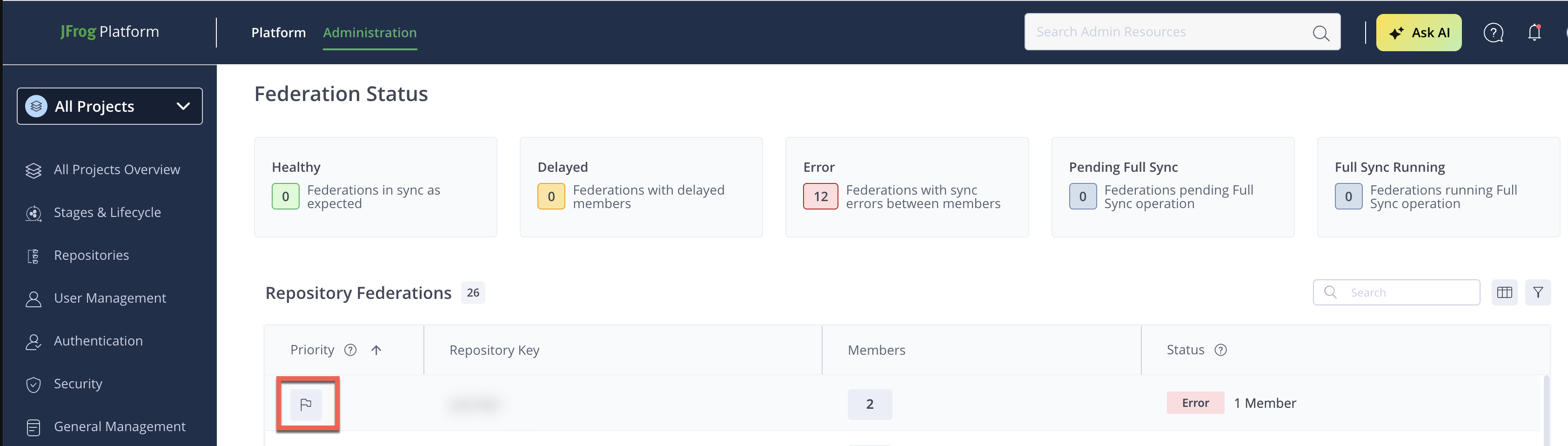
In the Administration module, click Platform Monitoring > Federation Status.
-
Locate the repository in the table.
-
Click the flag icon in the Priority column.
-
Select STANDARD or HIGH.
Note
URGENT priority is available via REST API only and is not exposed in the Platform UI.
The change takes effect immediately.
Priority Levels
| Priority | Batch size | Description |
|---|---|---|
| STANDARD | 200 events | Default processing order |
| HIGH | 400 events | Processed before STANDARD |
| URGENT | 400 events | Highest urgency |
Priority Limits
| Limit | Default value |
|---|---|
| Max HIGH priority repositories per member | 10 |
| Max HIGH priority repositories by percentage | 20% |
If limits are exceeded, the operation may fail with FederationPrioritizationException.
Frequently Asked Questions
This section provides answers to frequently asked questions.
FAQs
Q: How do I set URGENT priority for a repository?
A: URGENT priority is available only through the REST API — it isn't exposed in the Platform UI. Use the UI to set STANDARD or HIGH priority instead. See Set Priority in the UI.
Q: What's the difference between STANDARD, HIGH, and URGENT priority?
A: STANDARD is the default processing order with a 200-event batch size. HIGH and URGENT both use a 400-event batch size and are processed before STANDARD, with URGENT carrying the highest urgency. See Priority Levels.
Q: What happens if I exceed the HIGH priority limits?
A: The operation may fail with FederationPrioritizationException if you exceed the maximum of 10 HIGH priority repositories per member or the 20% cap by percentage.
Q: Does a priority change take effect immediately?
A: Yes. Once you save the new priority, the change takes effect immediately without requiring a restart or additional sync step.
Related Topics
Updated 3 months ago