

Legacy UI Monitoring
Monitor Federated repositories through the platform UI when running the legacy Federation service.
Monitor Federated repositories using the platform UI when running the legacy Federation service. If you are using the Artifactory Federation Service (RTFS), see Federation Dashboard instead. You can also retrieve this data programmatically; see Monitoring REST APIs.
This topic covers the following tasks:
Who can perform this task: Platform Administrators
View Federated Repository Status
From Artifactory version 7.58.0, administrators can view the current status of a Federated repository, including pending events, mirror latency, and synchronization status.
To view the status of a Federated repository:
- In the Administration module, click Repositories.
- Use the Repositories filter to show Federated repositories.
- Click the Actions menu for the relevant Federated repository and select Federation Status.
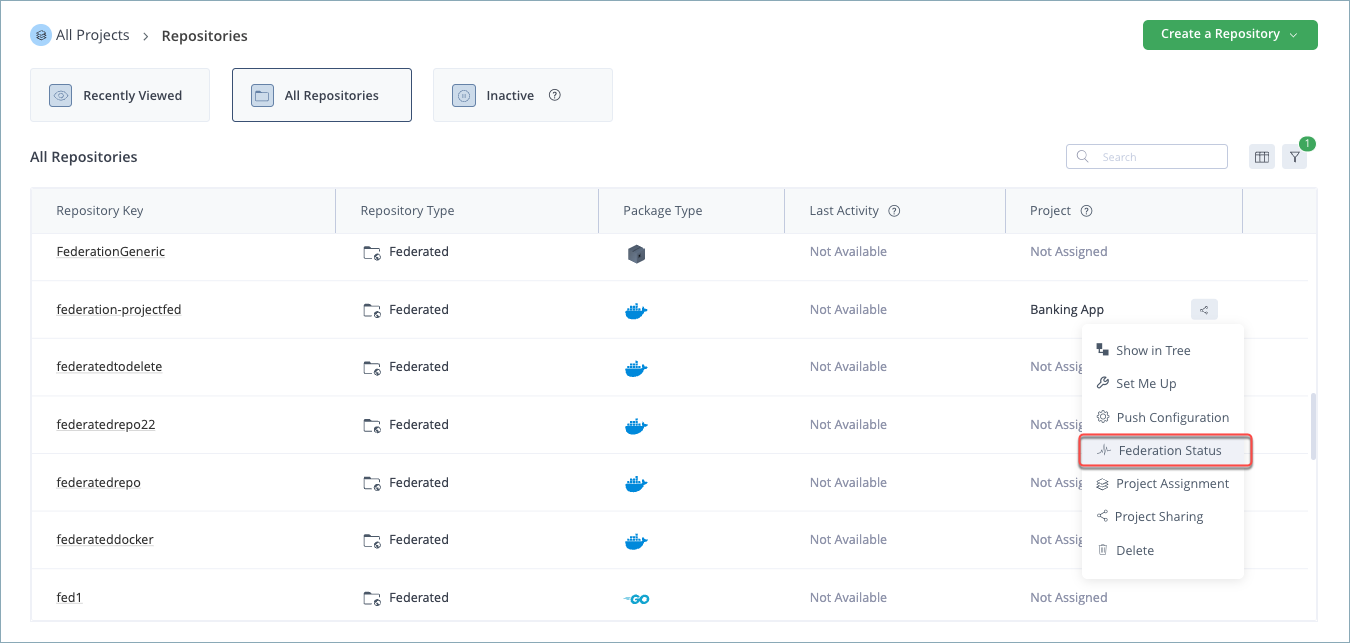
Repository Status Summary
The Federated Repository Status window displays the following information.

| Item | Description |
|---|---|
| Replicated Artifacts - Fully | Total artifacts that have been fully replicated (metadata and binary) on this JPD. |
| Replicated Artifacts - Metadata only | Total artifacts for which metadata exists but not the binary. |
| Binaries Tasks - In Progress | Replication tasks currently in progress. If significantly less than the Metadata Only value, this indicates a high failure rate. |
| Binaries Tasks - Failed | Total replication tasks that have failed to complete. |
For more on binary transfer states in the newer Federation Service, see Monitoring Binaries Tasks.
Target Mirror Details
The table displays the following for each target mirror Federated with the selected repository.
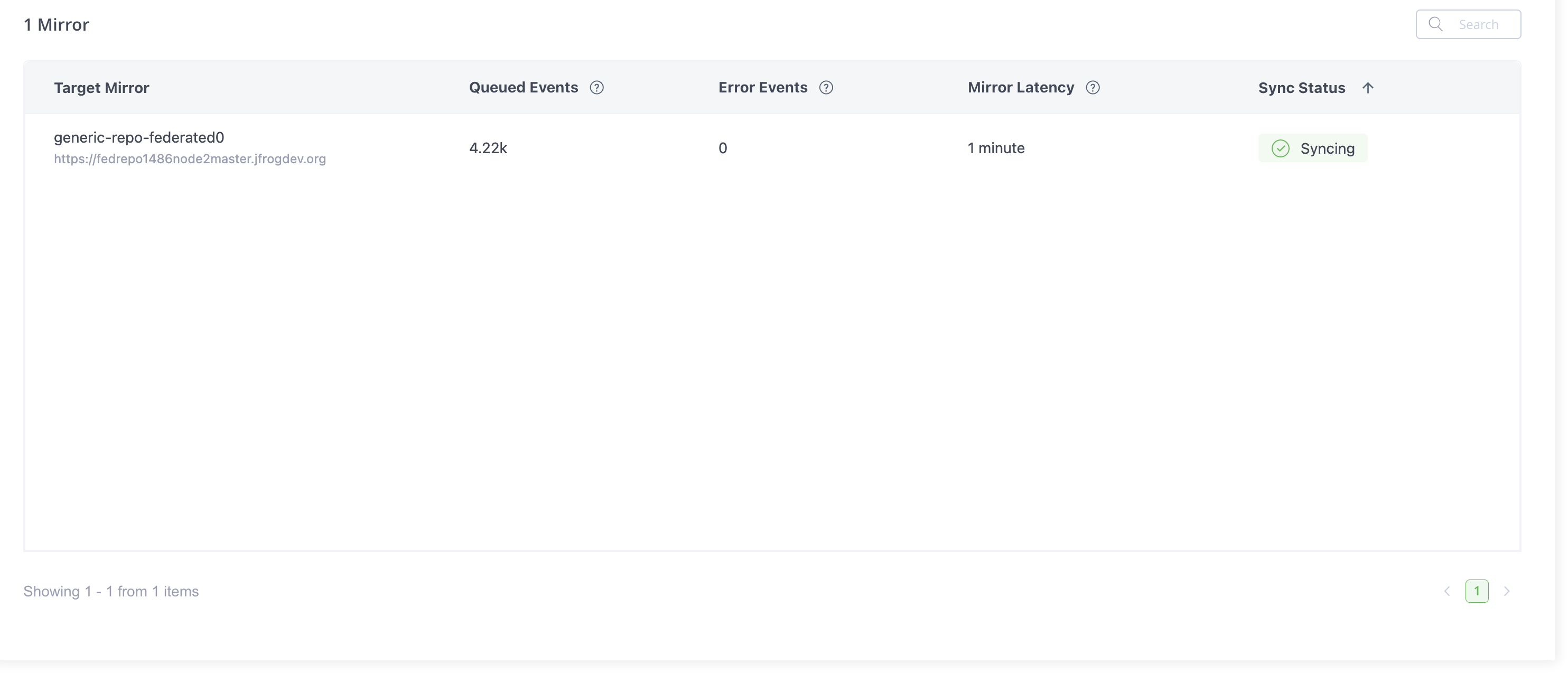
| Item | Description |
|---|---|
| Repository Key | Repository key of the target mirror. |
| Target Mirror URL | Full URL of the target mirror. |
| Events | Total events waiting to be sent to the target mirror. Select the row to see the breakdown by event type. |
| Mirror Latency | Total wait time for the next pending event. Calculation: Current time minus time of the next event that has yet to be handled. |
| Next Registration Timestamp | When this mirror is next scheduled to register or re-check with the target. |
| Sync Status | Whether the Federated repository is synchronized with the target mirror. The threshold used to determine out-of-sync status is a certain number of error events, defined at the system level and cannot be modified. |
The newer Federation Service organizes this connection-level information as Connection States.
View Queued Event Details
Select a row in the Federated Repository Status table to display additional details about the queued events.
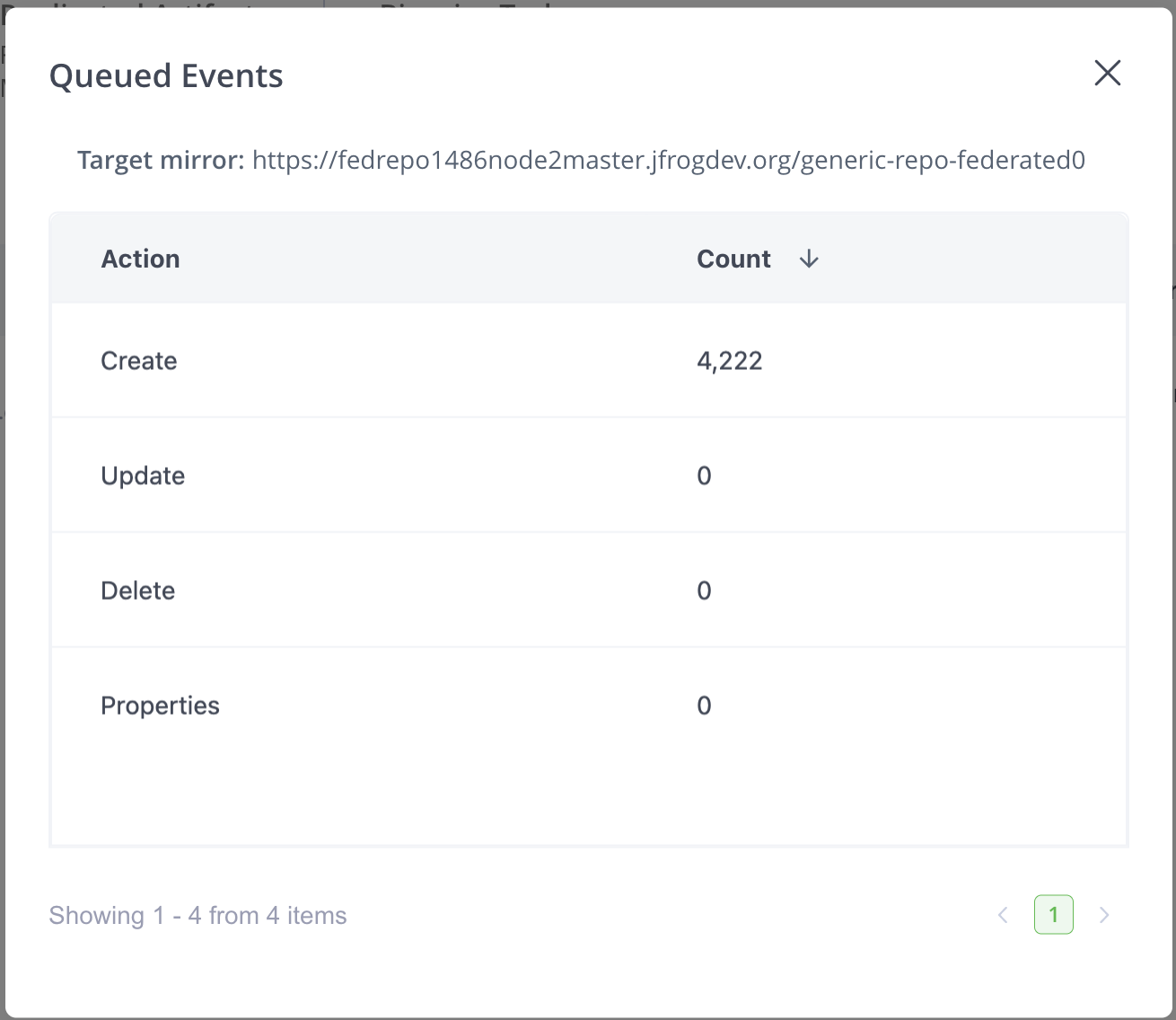
| Item | Description |
|---|---|
| Create | Number of Create events waiting to be sent. |
| Update | Number of Update events waiting to be sent. |
| Delete | Number of Delete events waiting to be sent. |
| Properties | Number of node properties waiting to be sent. |
| Error | Number of failed events during the sync process. |
View Federation Sync Status
From Artifactory version 7.55.1, administrators can see whether there are significant synchronization delays between the Federated repositories on the local JPD and other Federation members.
To view the Federation synchronization status:
- In the Administration module, click Platform Monitoring > Federation Status.
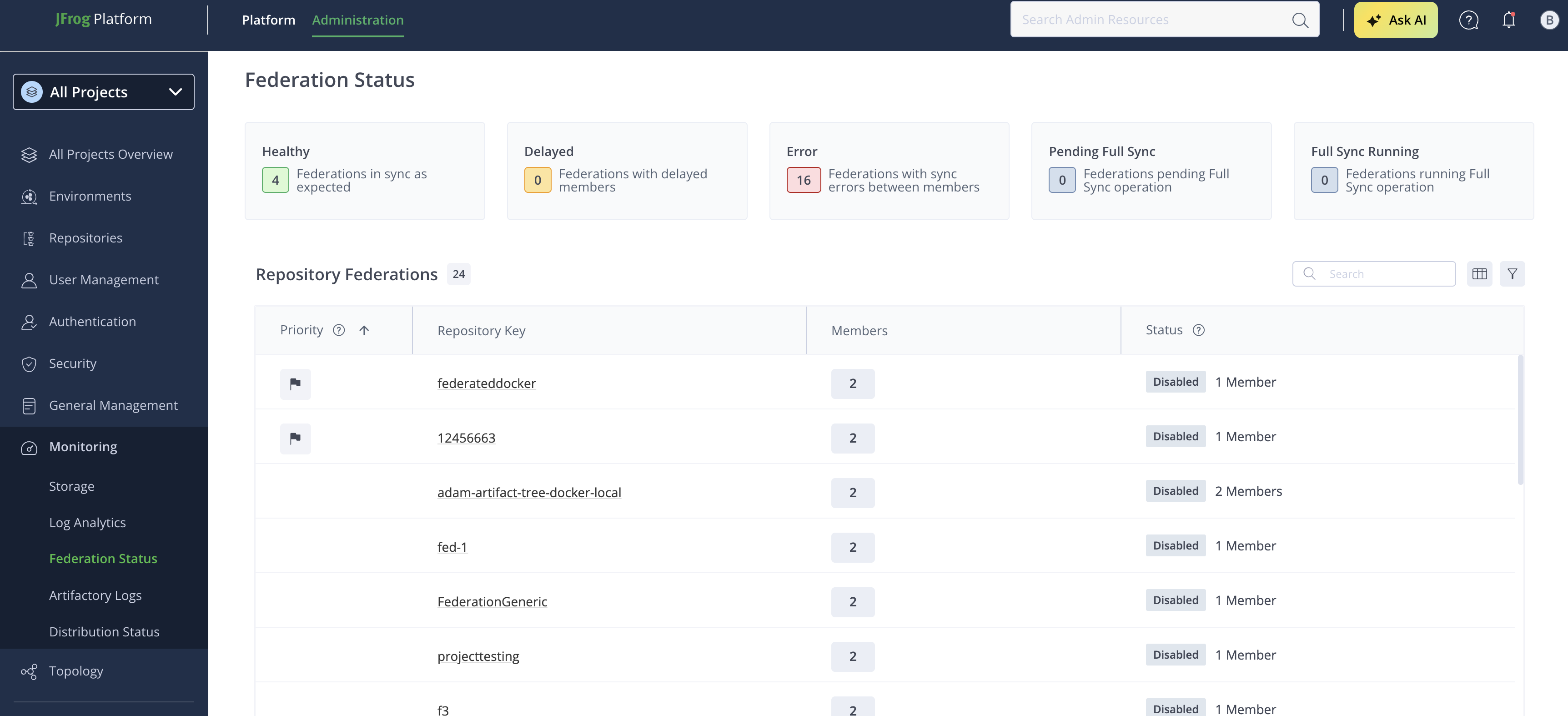
Sync Status Table Columns
This legacy view lists status per JPD, not per repository. The newer, RTFS-based Federation Status dashboard lists status per repository.
| Column | Description |
|---|---|
| URL | URL of the remote JPD. |
| Binaries To Fetch | Number of binaries this JPD still needs to fetch from that remote JPD. |
| Fetch Failures | Number of binary fetch failures for that remote JPD. |
| Sync Status | Federated if none of this JPD's Federated repositories exceed the configured sync delay threshold with that remote JPD. Otherwise, the status is Delayed. |
| Most Delayed | The longest synchronization delay between a Federated repository on this JPD and a repository on that remote JPD. Shows Synced if there's no lag, or N/A if it can't be determined. |
Refresh the Status
In the Federation Sync Status window, click Refresh to update the information in the table.
View the Longest Delays
In the Federation Sync Status table, click the row of a JPD to open the Top 10 lagging mirrors popup, listing the repositories with the longest delays against that JPD.
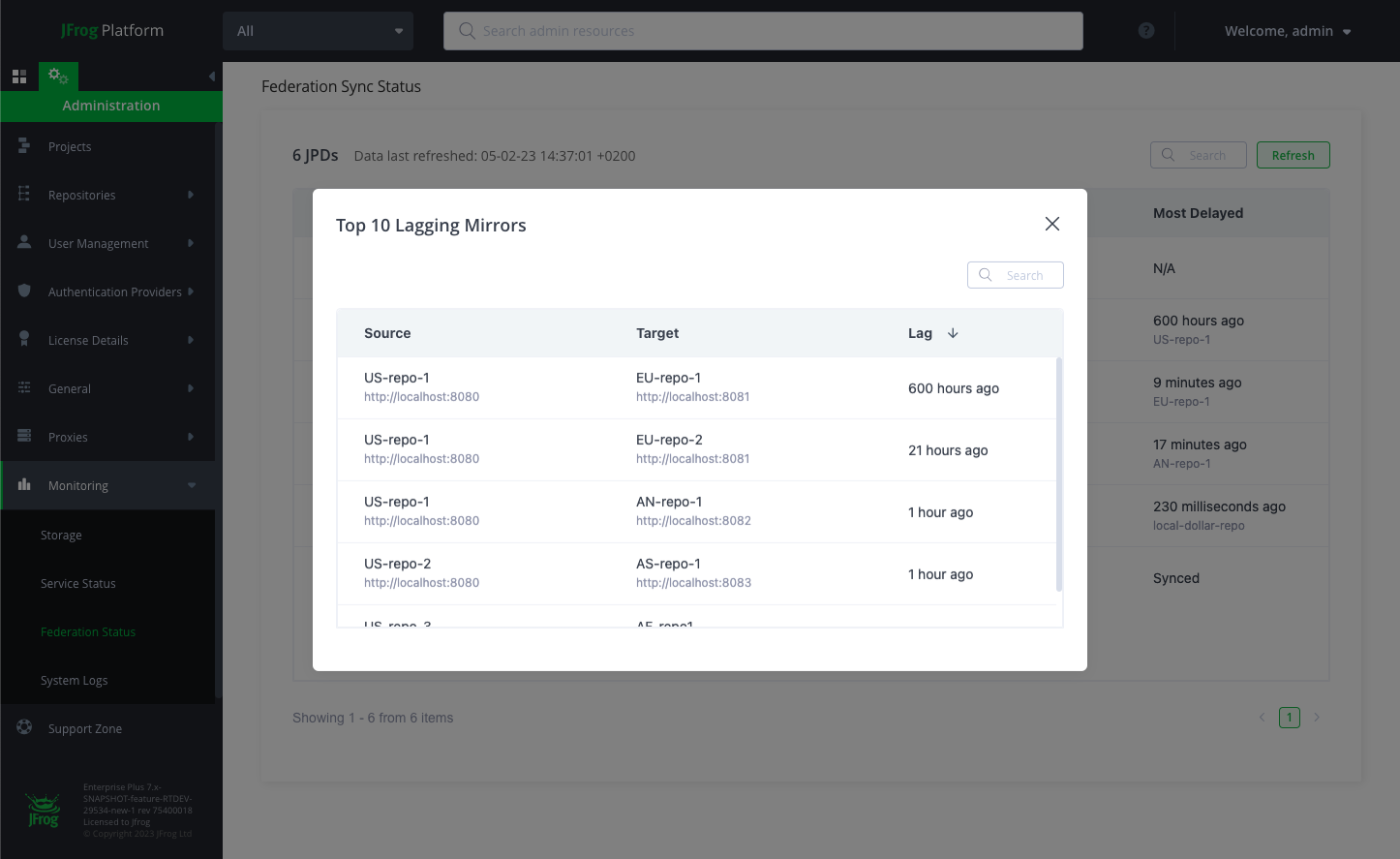
| Column | Description |
|---|---|
| Source | The Federated repository on the source JPD. |
| Target | The Federated repository on the target JPD. |
| Delay | The length of the delay between the source and target. |
Frequently Asked Questions
This section provides answers to frequently asked questions about legacy Federation UI monitoring.
FAQs
Q: How do I view the status of a Federated repository in the legacy UI?
A: In the Administration module, click Repositories, filter for Federated repositories, then use the Actions menu to select Federation Status. See View Federated Repository Status for details.
Q: What is the difference between the legacy Federation Sync Status view and the newer Federation dashboard?
A: The legacy view lists synchronization status per JPD. The newer, RTFS-based Federation dashboard lists status per repository instead. See View Federation Sync Status for the legacy columns.
Q: What does it mean if Binaries Tasks - In Progress is much lower than Metadata Only?
A: This indicates a high failure rate for binary replication tasks on that repository. Review the Binaries Tasks - Failed count for confirmation.
Q: Who can view Federation status in the legacy UI?
A: Only Platform Administrators can perform this task.
Q: How can I see the mirrors with the longest synchronization delays?
A: Click a JPD row in the Federation Sync Status table to open the Top 10 lagging mirrors popup, which lists the repositories with the longest delays against that JPD.
Related Topics
Updated 3 months ago